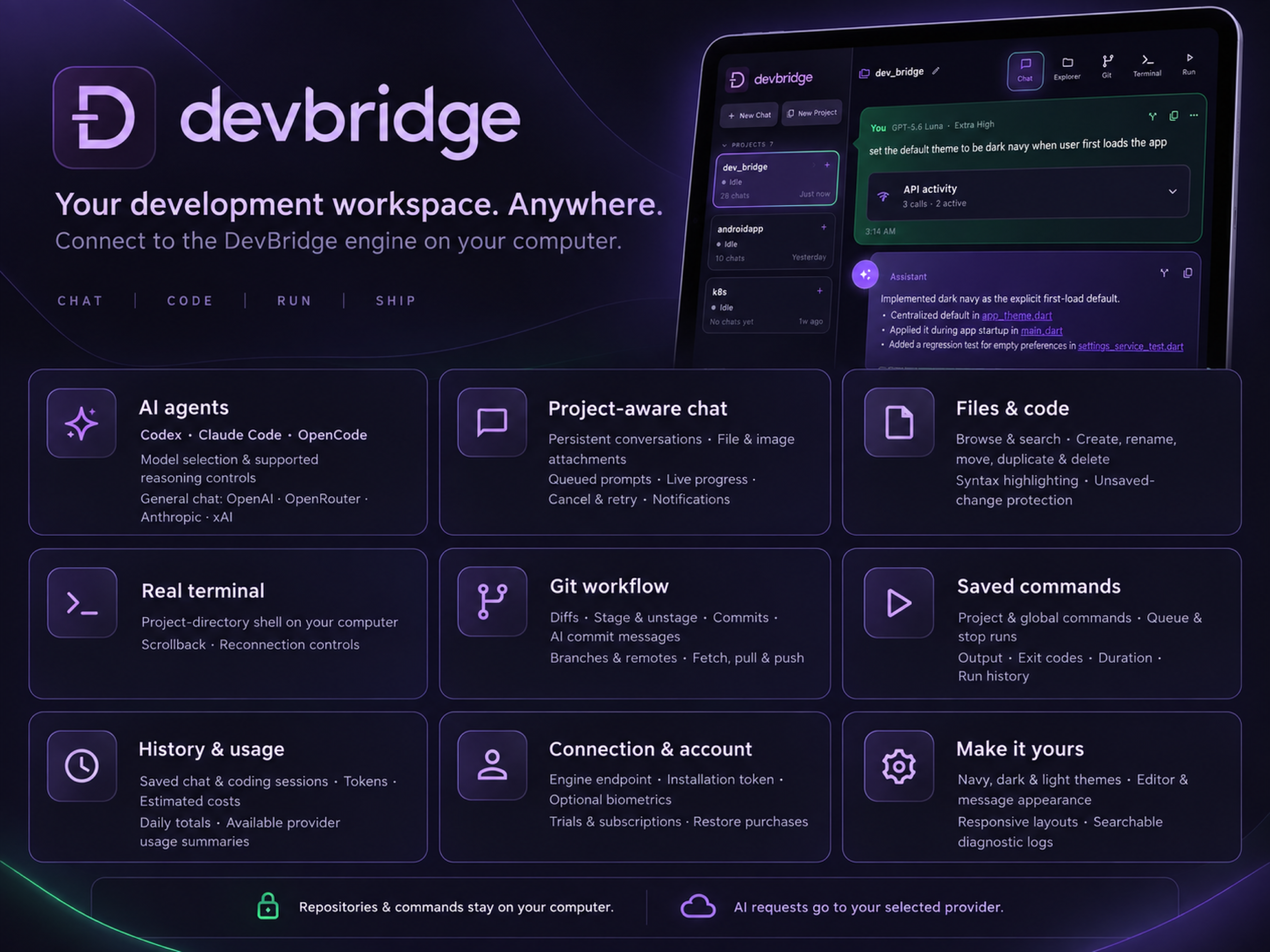
Development, untethered

Claude Code, Codex, and OpenCode.
From your iPad or iPhone.

DevBridge gives your iPad or iPhone private access to the AI coding agents, projects, terminal, files, and Git workflow running on your own machine—using Tailscale or Cloudflare.

Built for iPad / iPhone · Connects to the tools you already use
DevBridge new chat workspace on iPad or iPhone, with projects and chat history in the sidebar

Your agents, terminal, files, and Git.
One iPad or iPhone.

01PromptDescribe what you want
02BuildLet your agent work
03InspectReview files and output
04ShipCommit, branch, and push

Why DevBridge

Your coding agents, terminal, files, and Git—
in one workspace.

Vibe coding works best when the distance between an idea and a working change is tiny. DevBridge gives you that momentum on the device already in your hands.

01 / CHAT

Use Claude Code, Codex, and OpenCode with your real projects.

Choose a project, bring in context, and work through changes with an agent that can act inside your development environment.

  • Project-aware conversations
  • Persistent chat history
  • Model and reasoning controls
DevBridge project chat showing a conversation with an AI coding agent
02 / TERMINAL

Run a real project terminal from your iPad or iPhone.

Run scripts, inspect output, and stay close to what your agent is doing without leaving the iPad or iPhone workflow.

Integrated terminal connected to a DevBridge project
03 / FILES

Browse and preview files without leaving the workspace.

Browse the repository and preview files alongside the conversation, so you stay oriented as changes take shape.

DevBridge file explorer showing a project repository tree
04 / GIT

Review, commit, branch, and push from one place.

Inspect changed files, stage deliberately, switch branches, and push when you are ready. AI moves fast; your Git workflow should keep you confidently in charge.

CommitPullFetchPushBranch
DevBridge Git view showing changed files and source control actions

Your workflow, bridged

From agent prompt to Git push—
without switching apps.

DevBridge brings the scattered pieces of remote development into one deliberate, touch-friendly flow.

  1. 01

    Choose your coding agent

    Use Claude Code, Codex, or OpenCode through the provider you prefer.

  2. 02

    Open a project on your machine

    Pick a repository and keep its files, history, and working context close.

  3. 03

    Build, debug, and iterate by conversation

    Ask for a feature, chase a bug, or explore an unfamiliar part of the codebase.

  4. 04

    Inspect changes and push with Git

    Check the output, inspect changed files, and move the work forward with Git.

Inside the app

Switch between agents, terminal,
files, and Git.

Tap through the real DevBridge screens to see how the workflow fits together.

Made for moving

Connect privately to your own machine—
from anywhere.

01

Your code stays on your machine.

Prototype from the couch, the train, or wherever inspiration actually shows up.

02

Your coding agents run where your projects live.

Check progress, unblock an agent, or make the next change without reopening your whole desk setup.

03

Connect securely through Tailscale or Cloudflare.

Explore unfamiliar projects and ask questions where the code, files, and output are already visible.

Coming early August 2026

Get notified when
DevBridge launches.

DevBridge hasn’t launched yet. Sign up and we’ll email you as soon as it’s available.

No spam—just the launch announcement and occasional DevBridge updates. Unsubscribe anytime.